The Chrome time tracking extension that gets out of the way
Hourcraft is a free time tracker that docks in Chrome’s side panel — beside your tabs, not buried among them. Start a task in one tap, watch the toolbar badge count the minutes, and get back to work. Track billable hours, focus blocks, or just where the day actually went; every session lands in the same history as the Hourcraft web app.
Add to Chrome — it’s freeUsing Microsoft Edge? See Hourcraft for Edge →
Time tracking beside your tabs, not behind them
Press Ctrl+Shift+Y (⌘+Shift+Y on a Mac) and Hourcraft docks beside the page you’re working on — a side panel time tracker instead of one more pinned tab. The live toolbar badge shows elapsed time even with the panel closed, so a forgotten timer never runs into the night. One tap to start, one to stop — the productivity win is everything you stop doing: no tab-hunting, no opening a dashboard just to check the clock.
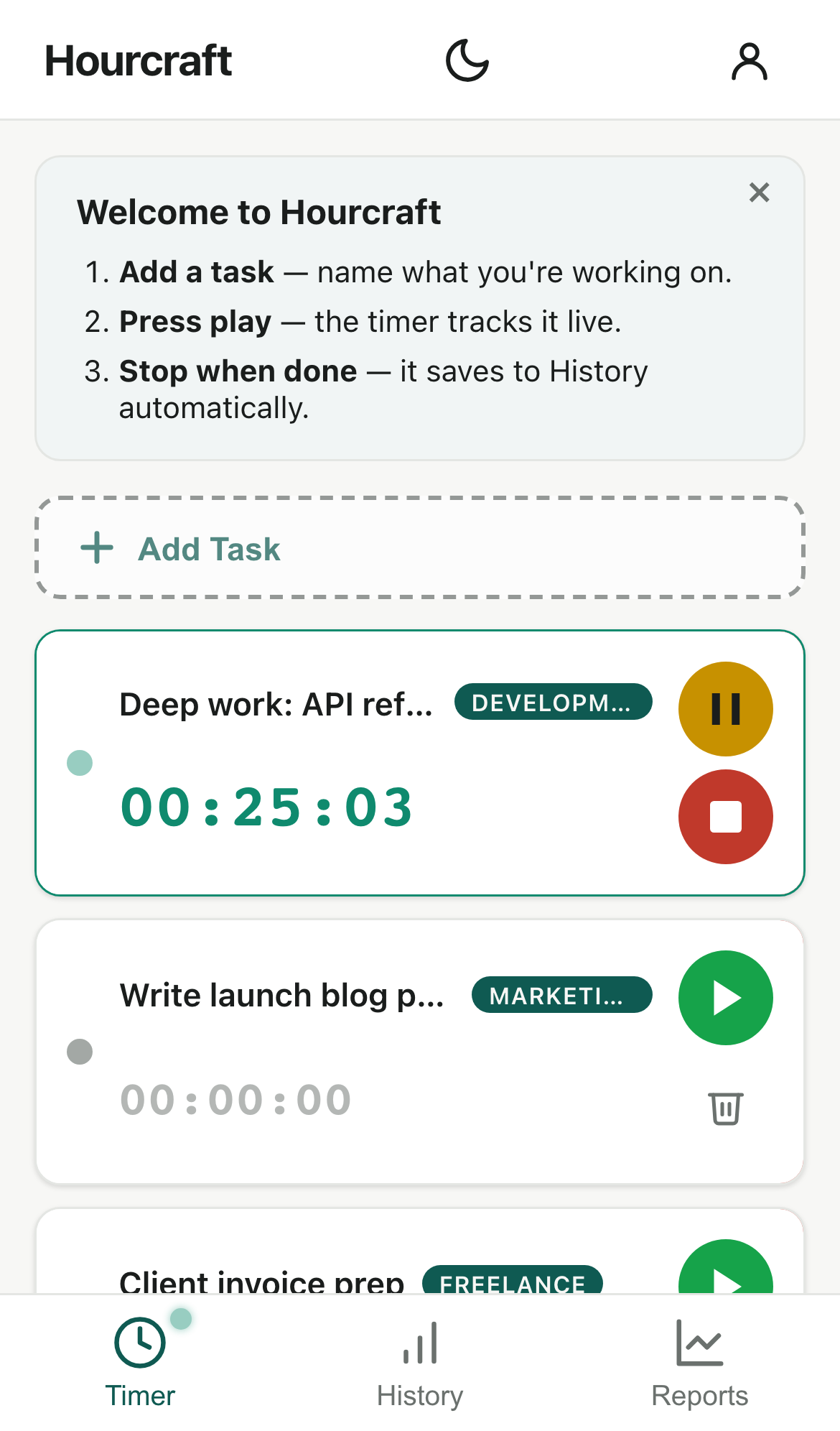
One tracker across Chrome, the web app, and your phone
The extension is a complete time tracker on its own — tasks, timers, and history all live in the side panel, with no account needed to start. Sign in once and your Chrome history and web history at hourcraft.app are one history. Add Pro’s cross-device sync and the running timer itself travels: start a task in the side panel and watch it counting on the web app — or on your phone — seconds later. Pause on one device, resume on another.
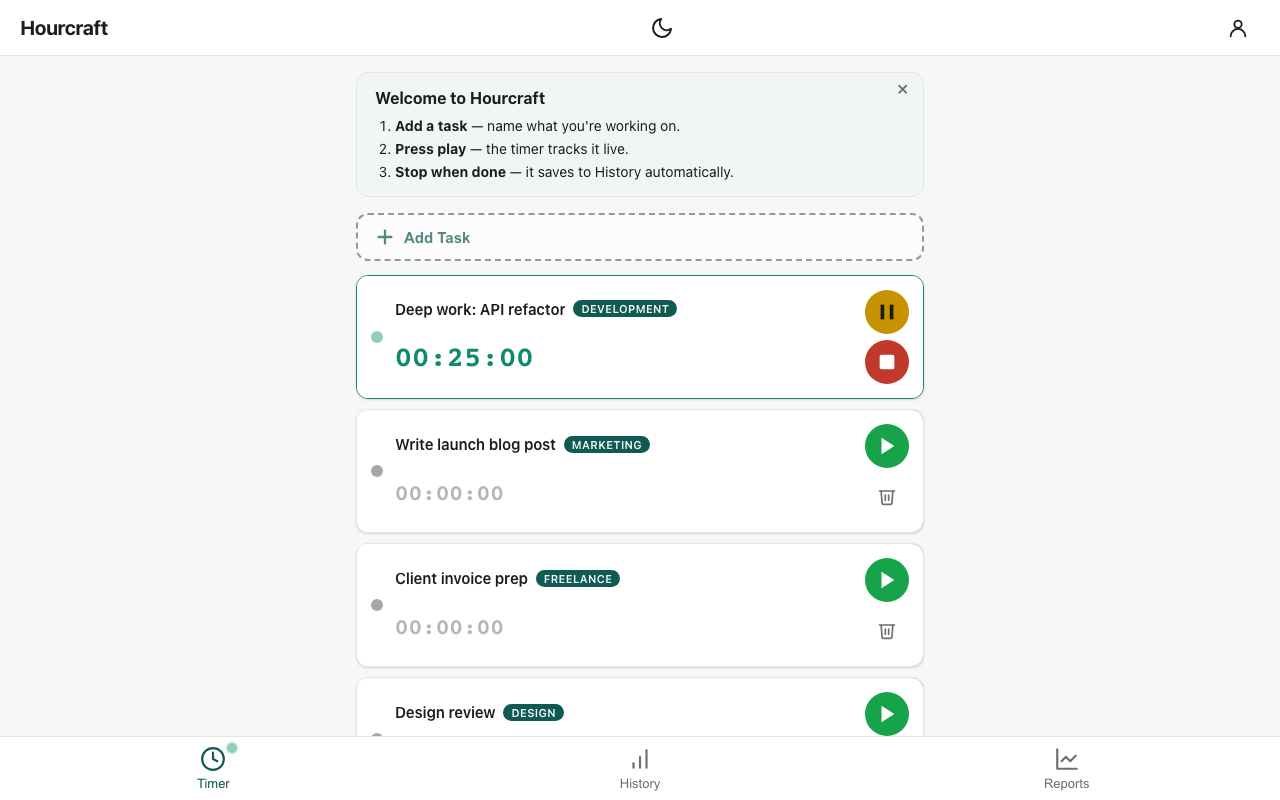
A Pomodoro timer in Chrome, too
Free, for everyone: the side panel doubles as a Pomodoro timer running the classic cycle — 25 minutes of work, a 5-minute break, a longer break every fourth round, with a prompt when each phase ends. Completed cycles are stamped onto the session, so your Pomodoro work shows up in history like everything else. Hourcraft Pro adds custom intervals, an optional chime, and re-chime reminders. New to the method? Here’s how the 25/5 cycle works, and what the evidence says.
Set up in under a minute
- Add Hourcraft to Chrome from the Web Store — free, no credit card.
- Click the toolbar icon and choose Start tracking — no account needed. Want your hours on other devices too? Choose Sign in instead — enter your email, click the magic link we send, and the extension signs itself in. No password to create, ever.
- Open the side panel and tap a task. That’s it — the badge starts counting.
Chrome extension questions
Does the extension work without the web app?
Yes — it’s a standalone time tracker: tasks, timers, and history all work right in the side panel. The web app at hourcraft.app adds the bigger screens — weekly summaries and reports — on the same account once you sign in, whenever you want them.
Is it free?
Yes. Hourcraft is a free time tracking extension, and the Free plan is free forever — no credit card, and no account needed to start; just your email when you want your hours on other devices. Pro ($4/mo, $29/yr, or $59 once) adds cross-device sync, advanced reports, and custom Pomodoro intervals. Details on the pricing page.
What permissions does it need?
Almost none: its own side panel and a connection to hourcraft.app. It cannot read your tabs, your browsing history, or the content of any page you visit. A time tracker doesn’t need to watch your browsing, so this one doesn’t ask to.
Can I use it as a Pomodoro timer in Chrome?
Yes — and it’s free. The classic 25/5 cycle runs right in the side panel: timed focus rounds on the task you pick, with a prompt when each phase ends. Completed cycles are saved onto the session, so Pomodoro work shows up in your history like everything else. Pro adds custom intervals, an optional chime, and re-chime reminders.
Is this a good Toggl alternative for Chrome?
Depends what you use. If you rely on Toggl for clients, invoicing, and team dashboards, keep Toggl. If what you actually open it for is the timer — start, stop, see where the hours went — Hourcraft is the lighter option: no projects to configure before your first timer, no permissions to read the sites you visit, and a $59 lifetime plan most trackers don’t offer. There's a fuller breakdown on the Hourcraft vs Toggl page.