No tasks yet
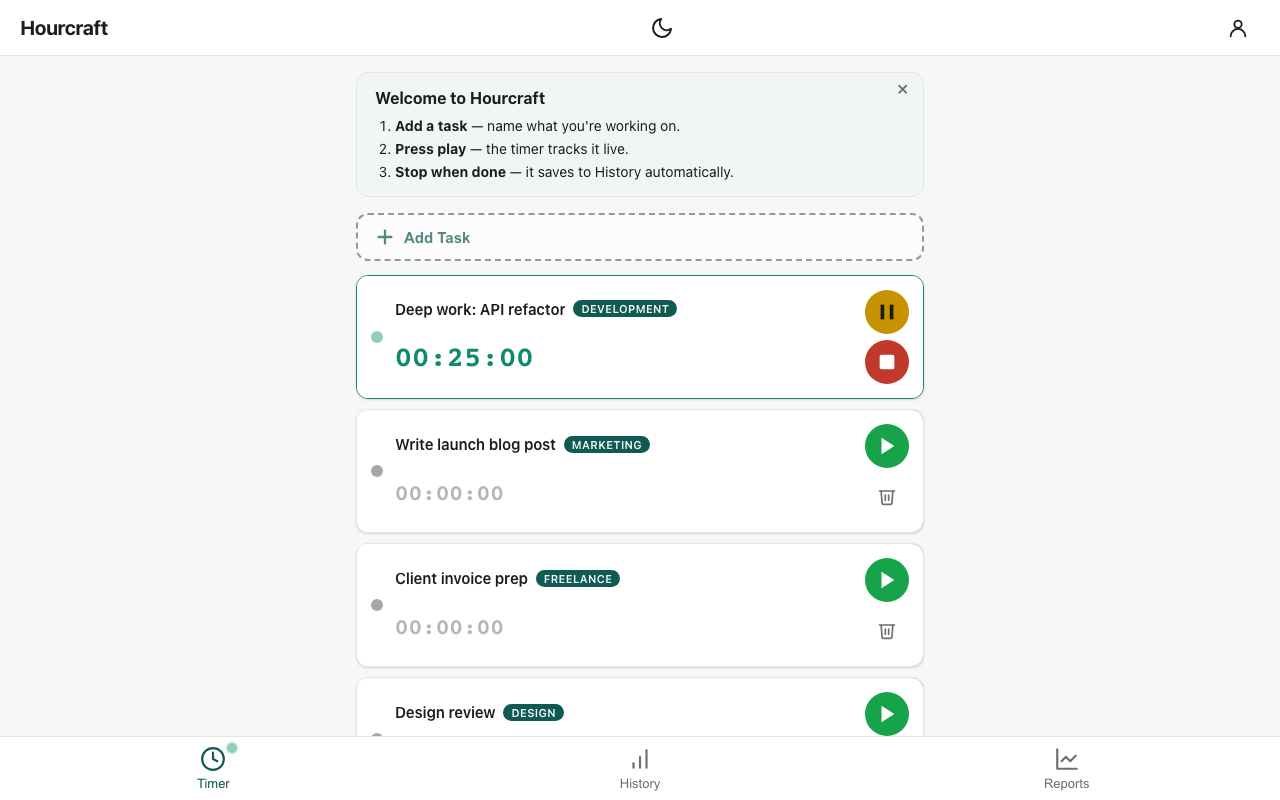
Add a task, hit play, and Hourcraft tracks the time. Stop when you're done — it saves to History automatically.
No sessions recorded
Your finished sessions show up here — by day, week, or all-time.
No tasks yet
Add a task, hit play, and Hourcraft tracks the time. Stop when you're done — it saves to History automatically.
No sessions recorded
Your finished sessions show up here — by day, week, or all-time.
Hourcraft is a free time tracker for people who hate time trackers — one-tap timers, weekly reports, Pomodoro mode, and a Chrome side-panel extension. No projects to set up, no timesheets to fill in, no credit card.
No email, no password, nothing to install. Your time stays in this browser until you choose to save it to an account.
One-tap timers with live tracking — no projects to configure, no timesheets to fill in, no learning curve. Start, pause, resume; finished sessions land in your history automatically.
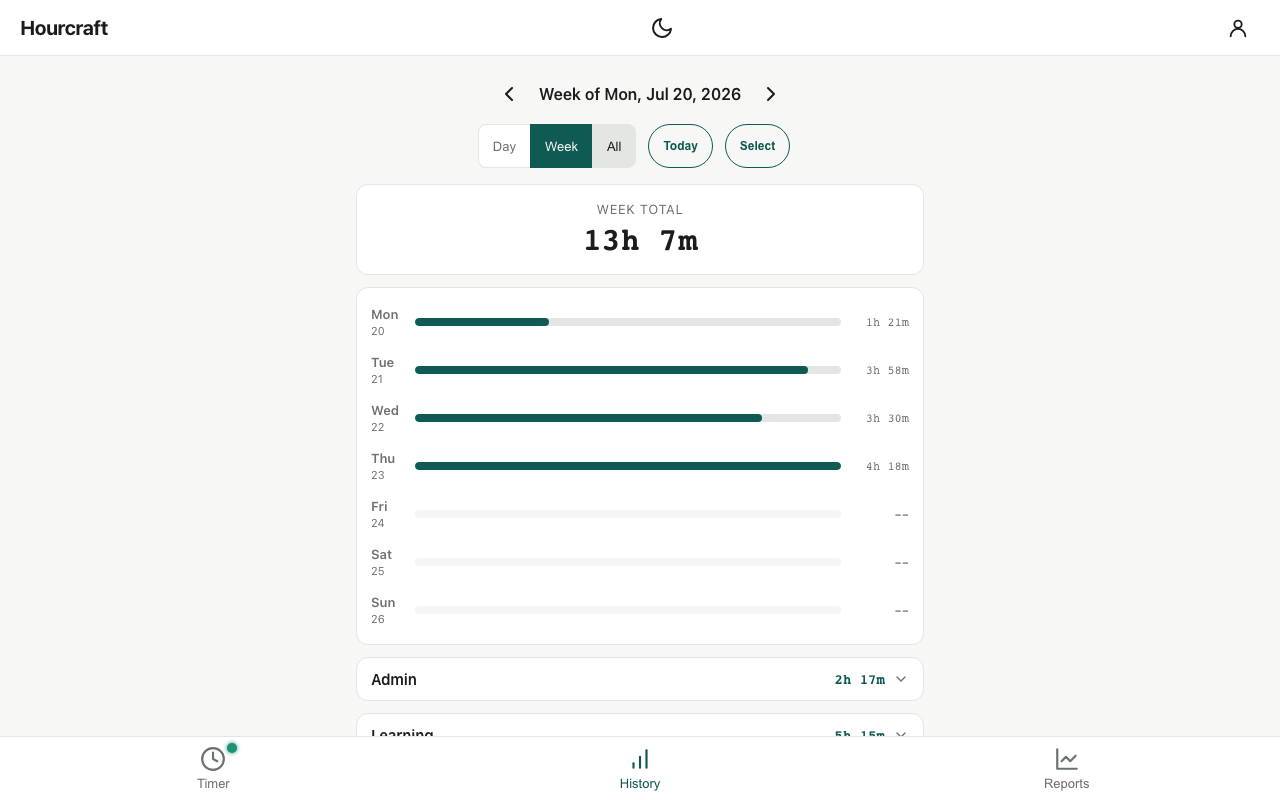
Daily totals and category breakdowns build themselves while you work. Flip between day, week, and all-time views — your hours organize themselves.
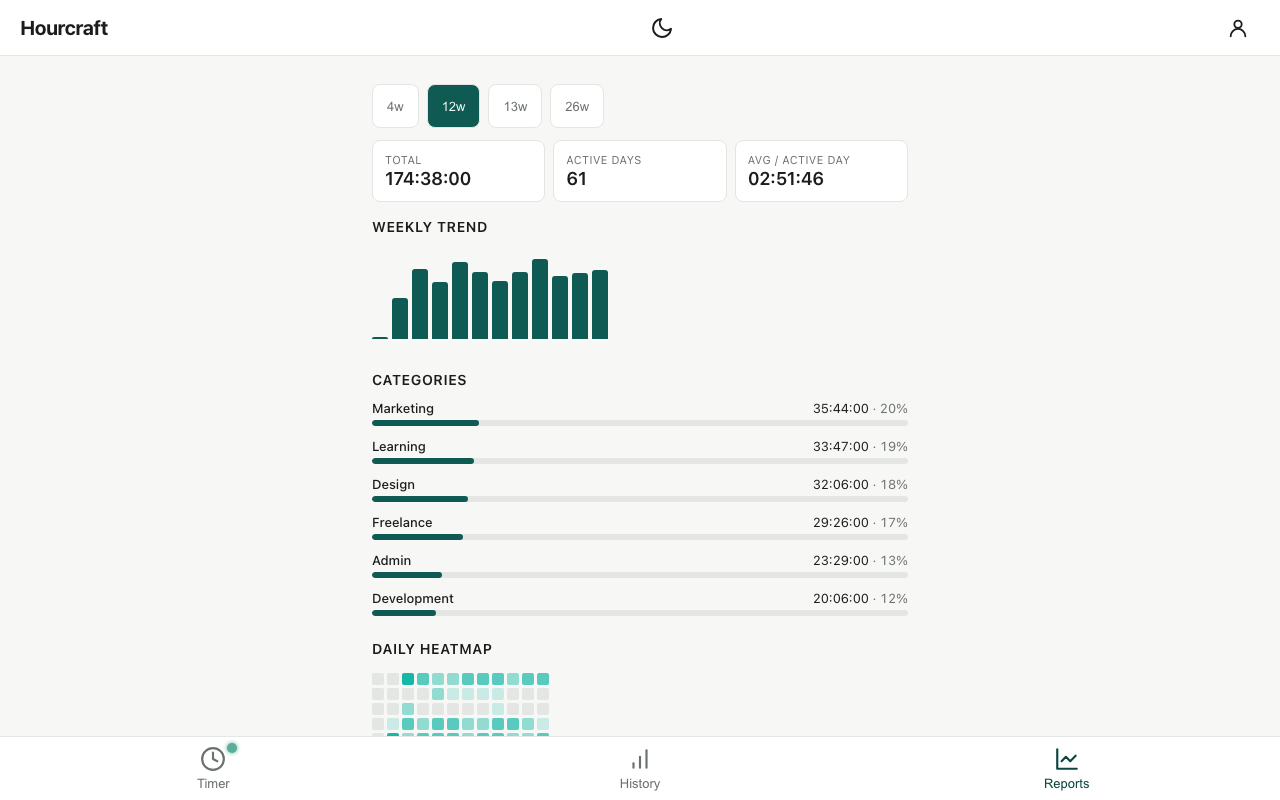
Weekly trend, category split, and an activity heatmap over 4 to 26 weeks — see where the hours actually go, not where you think they go.
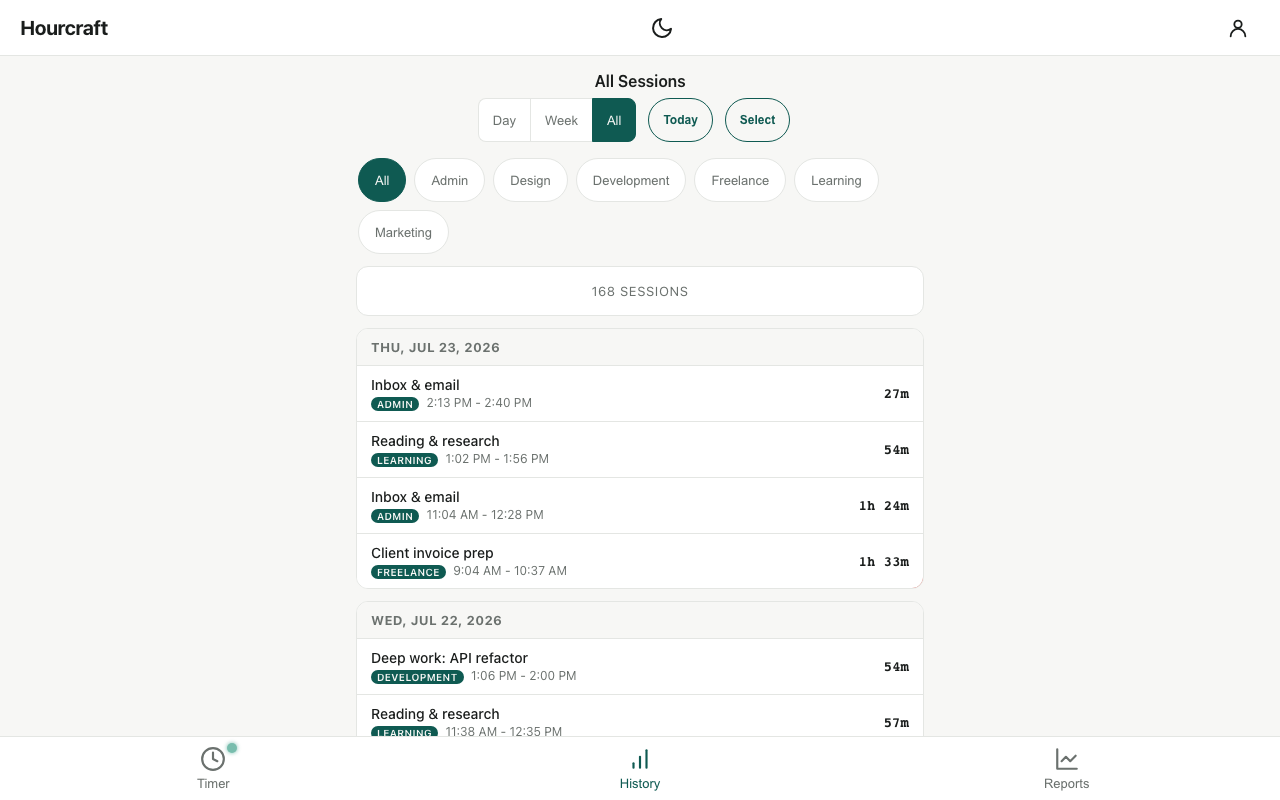
Your full session history, organized by task and category, with filters and CSV export on Pro. Swipe to delete, edit past sessions, and trust the record.
The Chrome extension puts Hourcraft in your browser’s side panel — start a task, watch the toolbar badge count up, and keep working. Sign in and it shares one history with the web app.
Add to Chrome — it’s free14-day refund guarantee on every plan — no card needed to start.
Hourcraft is a time tracker for one person: tap a task to start the clock, tap to stop, and see where the hours went. It runs as a web app that installs to your phone and as a Chrome extension that docks in the side panel, sharing one history once you sign in — though both track time with no account at all. A Pomodoro-style focus cycle, weekly reports, and CSV export are built in. It’s made by Aurific Labs LLC.
The Free plan is $0 and free forever — unlimited tasks and tracked time, the classic 25/5 focus cycle, up to 3 categories, and the last 7 days of history. Pro is $4/month, $29/year, or $59 once for lifetime access, and adds unlimited categories, full history, reports, CSV export, cross-device sync, and custom focus intervals. Every plan has a 14-day refund window.
Yes — the classic cycle (25 minutes of work, a 5-minute break, a 15-minute long break after every fourth round) is free for everyone, in both the web app and the Chrome side panel. Custom interval lengths, an optional chime, and re-chime reminders are Pro. More on how the method works.
No — and that’s deliberate. There are no seats, team dashboards, billable rates, or invoicing. If you need to bill clients or see what a team did, Toggl Track or Clockify are the right tools and we’d point you there. Hourcraft is for one person who wants to know where their own hours went.
No. Open hourcraft.app or the Chrome side panel, choose Start tracking — no account needed, and your tasks and sessions are saved in that browser and nowhere else. Add your email whenever you like and Hourcraft offers to move everything you already tracked into the account; an account is what carries your hours to another browser or your phone. The Free limits are the same either way — 3 categories and the last 7 days in History.
No — and you don’t need an account either. Start tracking straight away, on the web or in the side panel; sign in with just your email (a one-time link or code, no password) when you want your hours on another device. The Free plan is free forever, and payment only ever comes up if you choose Pro.
Yes — Hourcraft is a web app that installs to your home screen from the browser (Share → Add to Home Screen on iPhone). No app store required, and it works offline: your running timer never depends on the network.
Yes. The same extension is on Microsoft Edge Add-ons and runs in Edge’s sidebar — one-tap timers, the live toolbar badge, the free Pomodoro cycle, and one history with the web app once you sign in. The Chrome Web Store build also works in Edge; the two are separate installs, so keep one and sign in before switching.
Pro includes CSV export of your full session history — every task, category, timestamp, and duration. Your data is yours.
Your account simply returns to the Free plan. Nothing is deleted — every task and session stays, and you can keep tracking on the Free tier or come back to Pro any time.
Every plan has a 14-day refund window — email us and we make it right. Details in the refund policy.